Kriti Robertson Marketing Consultant

HOUSEKEEPING NOTES – A NOTION TEMPLATE BY KRITI ROBERTSON

Your whole week of marketing, on one page everyone actually reads.

Housekeeping Notes is a Notion system for marketing managers who are tired of scattered updates, “quick question” pings, and month-end reporting scrambles. One page a week, six sections, and a log that turns into your trend data and monthly report as you go.

Instant Notion link · one-time purchase, yours forever including updates · works on Notion’s free plan · 14-day guarantee

“Her work didn’t feel generic or surface-level.” — Reign Custom Tailors, 5-star Google review

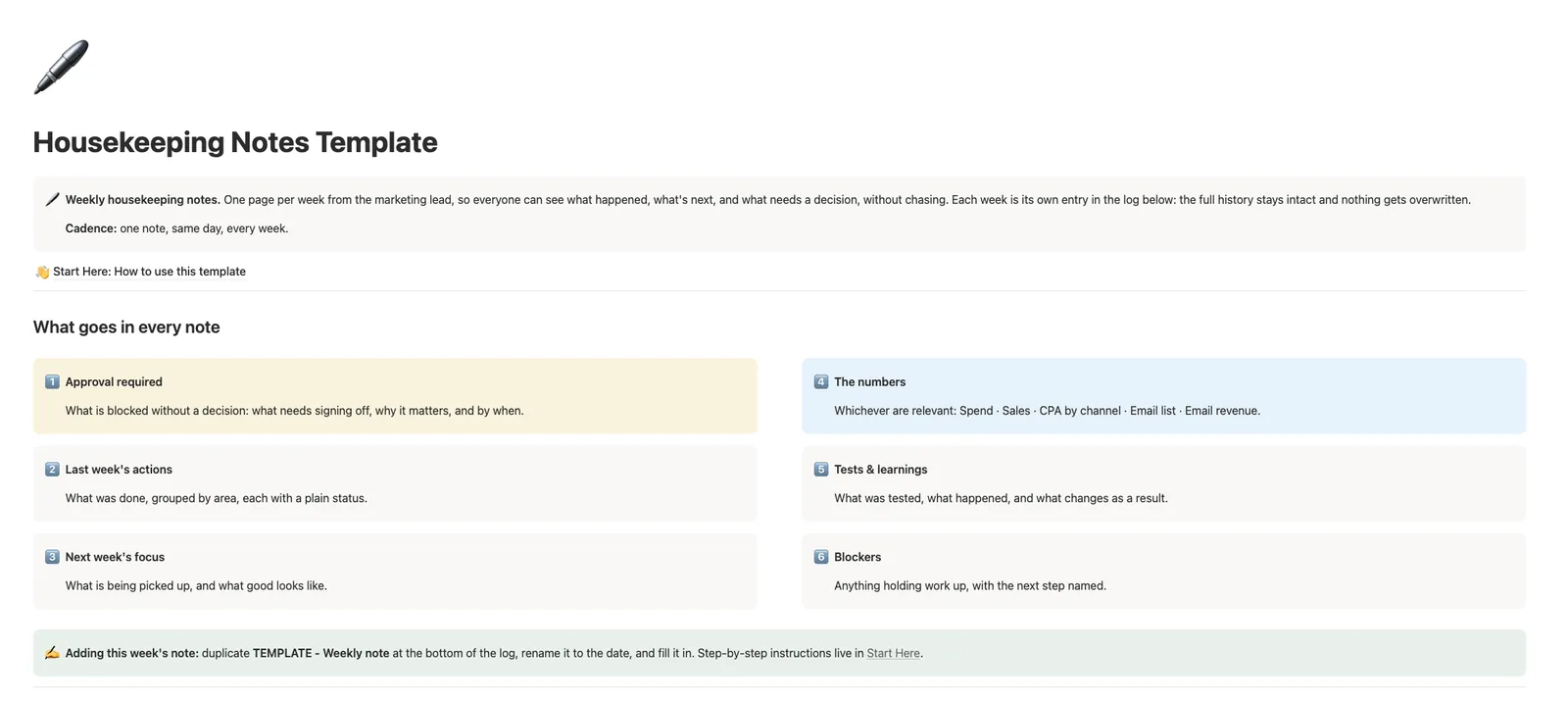
Housekeeping Notes Notion template dashboard showing the six sections that go in every weekly marketing note

You are doing the work. Nobody can see it.

If you run marketing for a service business, your week disappears into a dozen places: Slack threads, meeting recaps, a spreadsheet only you understand, and answers you have typed three times to three different people.

  • “Where are we with the promo?” The answer lives in your head, so it gets asked again next week.
  • A decision slips. Tuesday’s sign-off quietly becomes next week’s, and the launch slips with it.
  • Month-end is archaeology. Four weeks of messages, scrolled in reverse, trying to remember what actually happened.
  • The team sees the asks, but never the wins.

None of this is a working-harder problem. It is a “there is no single page where the week lives” problem.

One page a week. Six sections. Everything answered before anyone asks.

Housekeeping Notes gives you a repeatable weekly note with a fixed structure, so writing it takes 30 minutes and reading it takes three:

1Approval required

What is blocked without a decision, why it matters, and by when. Decisions stop hiding in threads.

2Last week’s actions

What was done, grouped by area, each with a plain status.

3Next week’s focus

What is being picked up, and what good looks like.

4The numbers

Spend, sales, CPA, email list, email revenue: whichever matter that week.

5Tests and learnings

What you tried, what happened, and what changes as a result.

6Blockers

Anything holding work up, with the next step named.

Every note is its own entry in a log, so the full history stays intact. Nothing gets overwritten, and nothing gets lost.
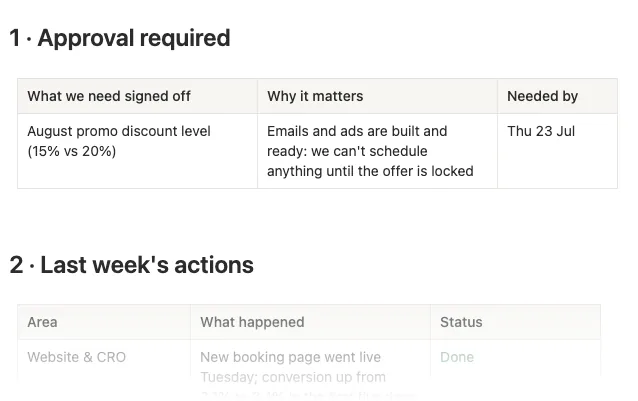
Glimpse of a completed weekly note from the Housekeeping Notes example week

A glimpse of a real week. The full six-section example week, with every table filled in, ships inside the template.

★★★★★

“Kriti has been a thoughtful and valuable support in helping bring more structure, clarity, and direction to our marketing strategy.”

Reign Custom Tailors — a client I run this exact system with · 5-star Google review

This is the reporting format I use in my own client engagements. Housekeeping Notes is that structure, packaged: the same weekly discipline my consulting clients get, ready to run in your own Notion.

Set up once, then it is a 30-minute Tuesday habit.

1Duplicate the template

One click adds the whole system to your Notion workspace: dashboard, weekly log, and a ready-made note template.

2Write your first note

Duplicate the template row, fill in the six sections, and send the link into Slack, email, or your team meeting. A completed example week shows you what a finished note looks like.

3Watch the log compound

Every week’s figures are logged as database properties, so the system builds itself as you go.
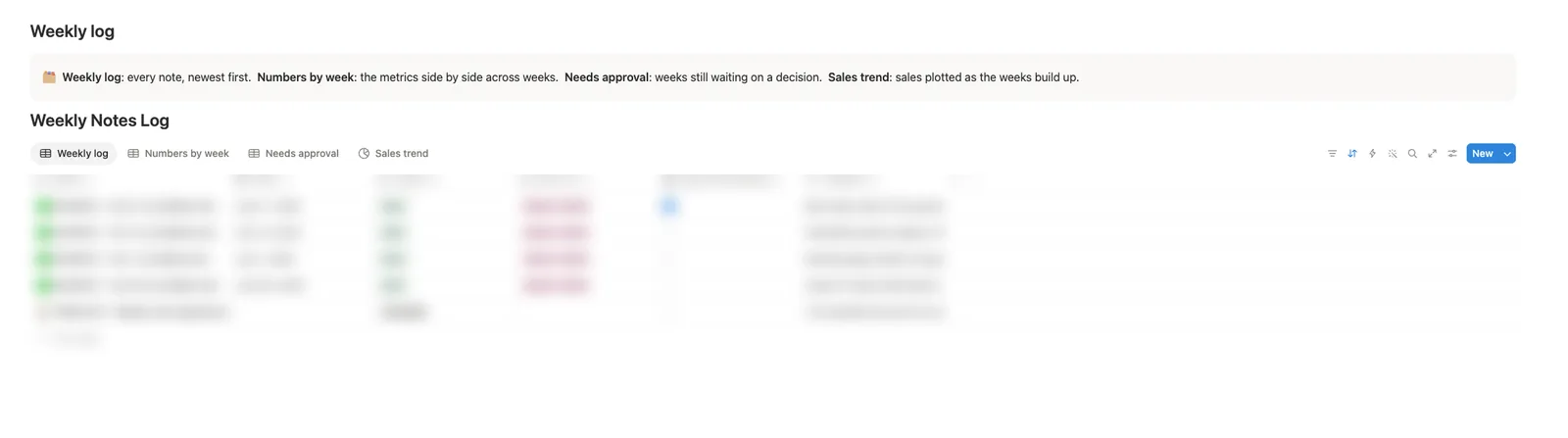
Weekly Notes Log in Notion with Weekly log, Numbers by week, Needs approval and Sales trend views

Four ready-built views: Numbers by week puts your metrics side by side, Sales trend plots the line automatically, Needs approval collects every open decision, and month-end reporting becomes a copy-and-tidy job instead of a memory exercise.

Get the template – $19

Built for the person who owns marketing, whoever they answer to.

Marketing managers and team leads

Keeping a founder, an MD, or a wider team in the loop without a weekly meeting.

Freelancers and agencies

Sending client updates that read as calm and in-control, not reactive. The Sent via field covers Slack, email, WhatsApp, and meetings.

Owner-operators

Your own marketing department, with an honest weekly record of what is working.

If your business sells services and your marketing updates currently live in five places, this is for you.

★★★★★

“What stood out most was her attention to detail, creativity, superb communication, and patience throughout the entire process.”

Dux Financial — a client I run this exact system with · 5-star Google review

Clear communication is the whole product here. Housekeeping Notes is how that communication becomes a weekly habit instead of a personality trait.

What is included

  • The Housekeeping Notes dashboard. A clean home page explaining the system, with the six-section structure summarised for anyone new to the notes.
  • The Weekly Notes Log. A Notion database with four ready-built views: Weekly log, Numbers by week, Needs approval, and Sales trend chart.
  • The weekly note template. The full six-section structure with tables, status wording, and prompts, ready to duplicate every week.
  • A completed example week. Realistic sample data so you are never staring at blank boxes wondering what good looks like.
  • Built-in guidance. How to run the weekly habit and how to roll notes into a monthly report, written into the template itself.

Why not just a doc?

A doc or a threadHousekeeping Notes
By week three✗ Overwritten, buried, or abandoned✓ The log keeps building
Your numbers✗ Buried in prose✓ Accumulate into trends automatically
Open decisions✗ Scattered across old messages✓ Collected in one Needs approval view
Month-end✗ A memory exercise✓ A copy-and-tidy job

A doc gets abandoned. A log compounds. Structure is what makes the habit stick.

Get the template – $19

Questions, answered

Do I need to be a Notion expert?
No. If you can duplicate a page and fill in a table, you can run this. The system comes fully built: you never touch a database setting unless you want to.

How long does a weekly note take?
Around 30 minutes once you have done it twice. The sections are prompts, not homework: you are filling in what already happened, and you delete anything that is not relevant that week.

Can I use it for client updates instead of team updates?
Yes. The structure is the same whether the reader is your MD or your client. The example note and delivery options cover both.

Can I change the metrics?
Yes. The template tracks Spend, Sales, CPA, Email list, and Email revenue out of the box, and they are ordinary Notion properties: rename, remove, or add your own in seconds.

Does it work on Notion’s free plan?
Yes. Everything in the template works on a free personal Notion account.

How do I receive it?
Instantly after purchase: you will get a link to duplicate the template straight into your own Notion workspace.

Can my whole team use it?
Yes. Once it is in your workspace, it follows your normal Notion sharing. One purchase covers your team’s use in one workspace.

$19. One time. Cheaper than one hour of the reporting scramble it replaces.

  • Dashboard, Weekly Notes Log with four views, the six-section note template, and a completed example week
  • Set up in minutes, no Notion expertise needed, works on the free plan
  • Yours forever, including updates

For scale: this is the same reporting rhythm clients pay my consultancy a four-figure monthly retainer to run for them. You will spend more than $19 in salary time on a single month-end “what did we even do in week two?” session.

Checkout via MailerLite · instant Notion link · no account needed

14-day guarantee: write two weekly notes. If your client or boss doesn’t notice the difference, I’ll refund your $19 and you keep the template.

Twelve weeks from now, you will have a record you can stand on.

A quarter of decisions chased, numbers logged, learnings kept, and updates your team actually read. That is what one page a week buys you.

★★★★★

“She was able to turn a lot of ideas and information into a much clearer marketing direction, which made it easier to see where to focus, what to improve, and how to move forward more intentionally.”

Reign Custom Tailors — a client I run this exact system with · 5-star Google review

Checkout via MailerLite · instant Notion link · no account needed · 14-day guarantee

Scroll to Top